Apps, Jobs
An Octostar App is executed in its own container, optionally using a custom image, within Kubernetes. But how does it work in detail?
App deployment
In Kubernetes, a Job is a controller object that represents a finite, one-off task that runs to completion. It creates one a Pod and ensures that it successfully terminates. Restarting it multiple times if crashes.
Well, when you "deploy" your app in Octostar, our API defines and instantiates a Kubernetes Job that typically never completes (unless you instruct it to).
An Octostar App is a resilient process, with the following guarantees:
- Will be restarted on crash, yet avoiding crash loops with a backoff strategy.
- Will get executed on another Kubernetes cluster node in case of failures
- A unique URL will be associated to the app
- HTTP connections will be forwarded to the internal port 8088 TCP
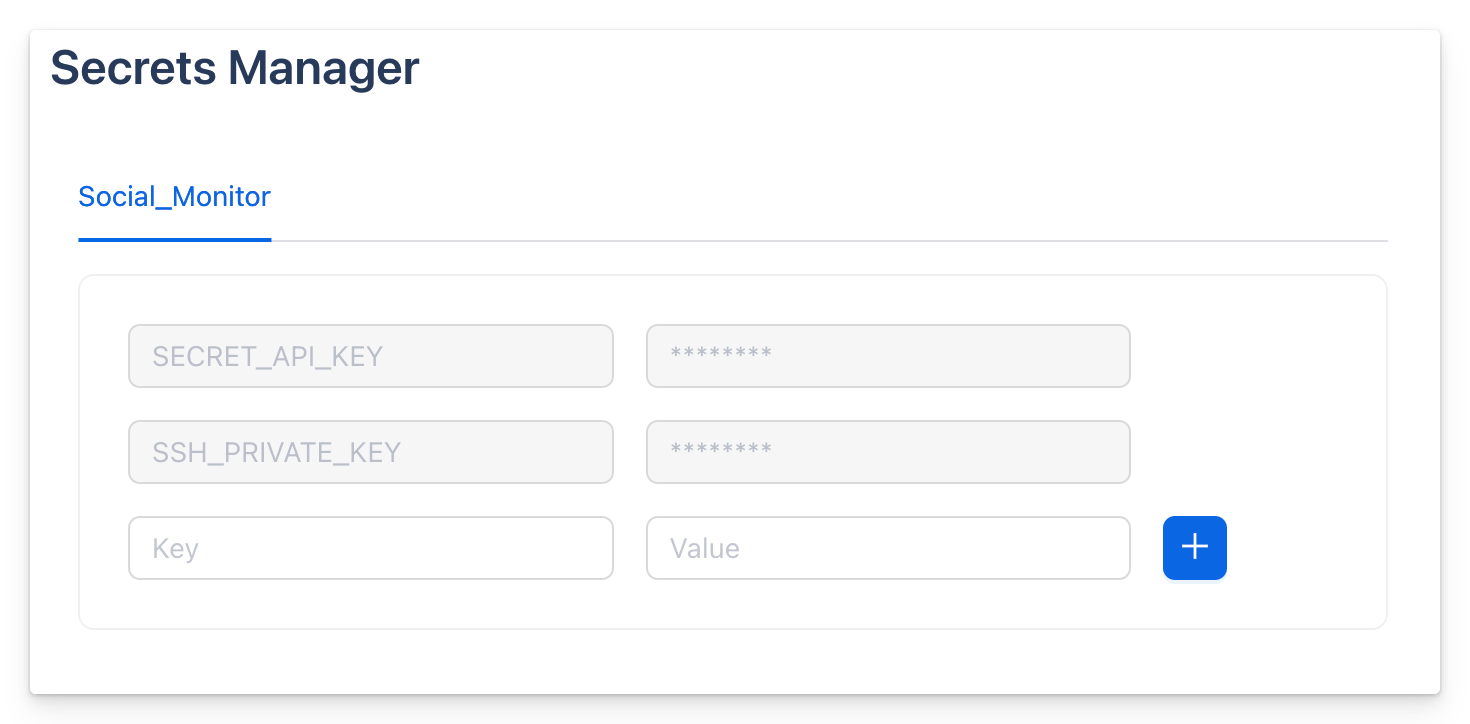
- Secrets can be associated to the app (API keys, SSH keys, etc)
- The necessary environmental variables will be provided automatically for the Octostar Python SDK autoconfiguration
Subordinate Jobs
An Octostar app can consume the Octostar API directly, or via the Python SDK.
One of the features in the API is the ability to request the on-demand execution of another instance of the current app. Potentially specifying a custom entry point command. For example a specific Python script, with some specific arguments.
This is useful when the app at hand intends to allocate extra compute/memory resources to parallelise resource intensive executions.
Important
Refrain from spawning subordinate jobs if you intend to parallelise IO bound operations. You won't need more memory or CPU in this case, just find a way to parallelise your code within your main app container.
Subordinate jobs will all be terminated when you un-deploy your app. Alternatively, kill them one by one in the JobsManager UI.
Here is an example of app code (using octostar-python-client) that spawns subordinate jobs.
from octostar.utils.jobs import execute_new_job
from octostar.utils.notifications import toast

for id in to_process:
  execute_new_job.sync(commands=[f"bash heavy_worker.sh -i {id}"])
  toast.sync(message=f"🚀 New job launched for id {id}")
Secrets
Using "Secrets Manager" You can save app-specific secrets using Octostar App editor. This key-value store is backed by the equivalent data structure in Kubernetes, called Secret.
This is an object that contains sensitive data such as passwords, OAuth tokens, SSH keys, etc. Secrets provide more control over how sensitive information is used and reduce the risk of accidental exposure.